
SEO Settings
Optimize your blog's visibility with SEO settings
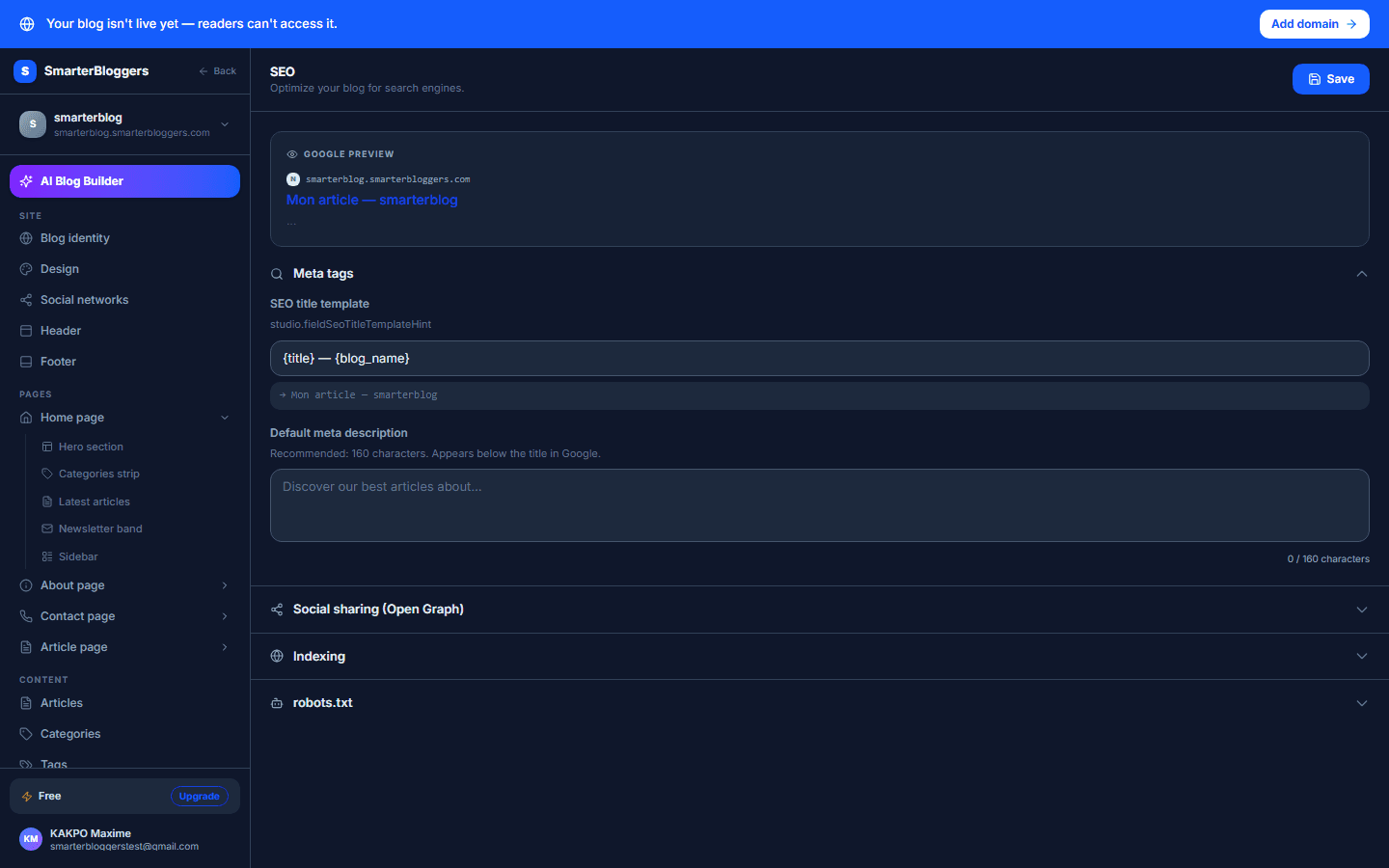
Google Preview
The SEO settings page provides a Google preview section where you can see how your blog's title and description will appear in search results. This preview updates dynamically as you modify the SEO title template and meta description fields. The preview includes your blog's URL, the SEO title, and the meta description.
- URL: Displays your blog's subdomain, e.g., `blog.smarterbloggers.com`.
- SEO Title: Shows the formatted title using your SEO title template.
- Meta Description: Displays the current meta description or a placeholder if none is set.
- Use the preview to ensure your title and description are engaging and informative.
Meta Information
In the Meta Information section, you can configure the SEO title template and meta description for your blog:
- SEO Title Template: Customize how your blog's title appears in search results. Use placeholders like `{title}` for the article title and `{blog_name}` for your blog's name. The default template is `{title} | {blog_name}`.
- Meta Description: Provide a brief description of your blog. This text appears in search results below your title. The character count is displayed below the input field to help you stay within recommended limits.
- Ensure your meta description is concise and includes relevant keywords.
Indexing and Feeds
In the Indexing section, you can access links to your blog's sitemap and RSS feed. These are important for search engine indexing and content syndication.
- Sitemap: A link to your blog's sitemap, e.g., `https://blog.smarterbloggers.com/sitemap.xml`. This file helps search engines understand your site's structure.
- RSS Feed: A link to your blog's RSS feed, e.g., `https://blog.smarterbloggers.com/rss.xml`. This allows users to subscribe to updates.
- Submit your sitemap to search engines to improve indexing.
Robots.txt Configuration
The Robots.txt section allows you to edit the robots.txt file, which instructs search engines on how to crawl your site.
- Robots.txt: Edit the file directly in the provided input field. A typical entry might include directives like `User-agent: *` and `Allow: /`. The sitemap URL is included by default.
- Use robots.txt to control which parts of your site are indexed by search engines.
What's next?
Now that you've configured your SEO settings, consider exploring our guides on content optimization and keyword research to further enhance your blog's visibility.
Social Sharing
The Social Sharing section allows you to set an Open Graph (OG) image for your blog. This image is used when your blog is shared on social media platforms.