
Your Blogs, At a Glance
Manage and view your blogs effortlessly from the dashboard
Accessing Your Blogs
To view your blogs, navigate to the 'Blogs' section in your dashboard. This section provides an overview of all the blogs associated with your account. You can see the list of blogs you own or have access to, along with key metrics such as the number of articles, subscribers, and authors for each blog.
- Use the search bar to quickly find a specific blog by name or slug.
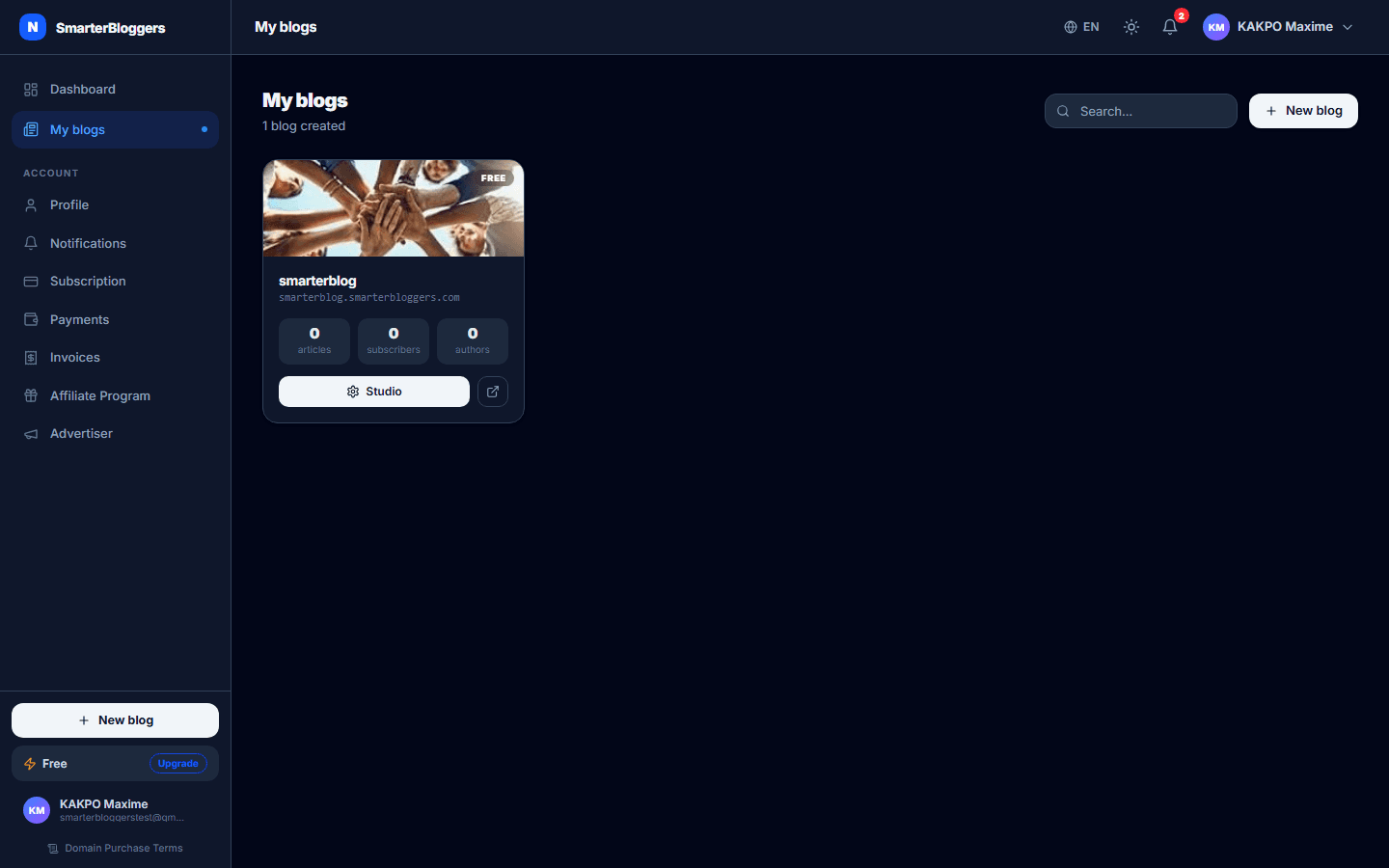
Blog Overview
Each blog is displayed as a card with the following information:
- Blog Name: The name of your blog.
- Slug: The unique identifier for your blog, displayed as a subdomain.
- Plan: The current subscription plan of the blog, visually represented with a gradient color.
- Metrics: Quick stats showing the number of articles, subscribers, and authors.
You can click on the 'Settings' icon to access the blog's settings or the 'External Link' icon to view the blog live.
- Hover over the blog card to see additional options like viewing the blog or accessing settings.
Creating a New Blog
To create a new blog, click the 'New Blog' button located at the top of the 'Blogs' section. This will redirect you to the blog creation page where you can set up your new blog by providing necessary details such as the blog name, slug, and selecting a template.
- Ensure your blog slug is unique and descriptive.
- You can change the blog's template and settings later.
Managing Blog Settings
To manage the settings of a specific blog, click on the 'Settings' button on the blog card. This will take you to the blog's settings page where you can update various configurations such as the blog's name, description, and other preferences.
- Only users with the 'TENANT_ADMIN' role can modify blog settings.
Deleting a Blog
If you need to delete a blog, navigate to the blog's settings and look for the delete option. Only users with the 'TENANT_ADMIN' role can delete a blog. Once deleted, the blog cannot be recovered.
- Ensure you have backed up any important data before deleting a blog.
Checking Slug Availability
When creating or updating a blog, you can check if a slug is available by using the slug checker feature. This ensures that your blog's URL is unique and accessible.
- Choose a slug that is easy to remember and reflects your blog's content.
Dashboard Analytics
The dashboard provides analytics for each blog, including total views, unique sessions, and subscriber counts. These metrics help you understand the performance and reach of your blogs.
- Use these analytics to tailor your content strategy and improve engagement.
What's next?
Explore more features like customizing your blog's appearance and integrating third-party tools to enhance functionality.