
Customizing Your Blog Header
A comprehensive guide to configuring the header for your blog
Overview
The Header customization page allows you to personalize the top section of your blog. You can enable or disable various elements such as the top bar, navigation links, and a subscription button. This guide will walk you through each section of the header configuration, ensuring you make the most of these features.
- Consider what elements are most important to your audience when customizing your header.
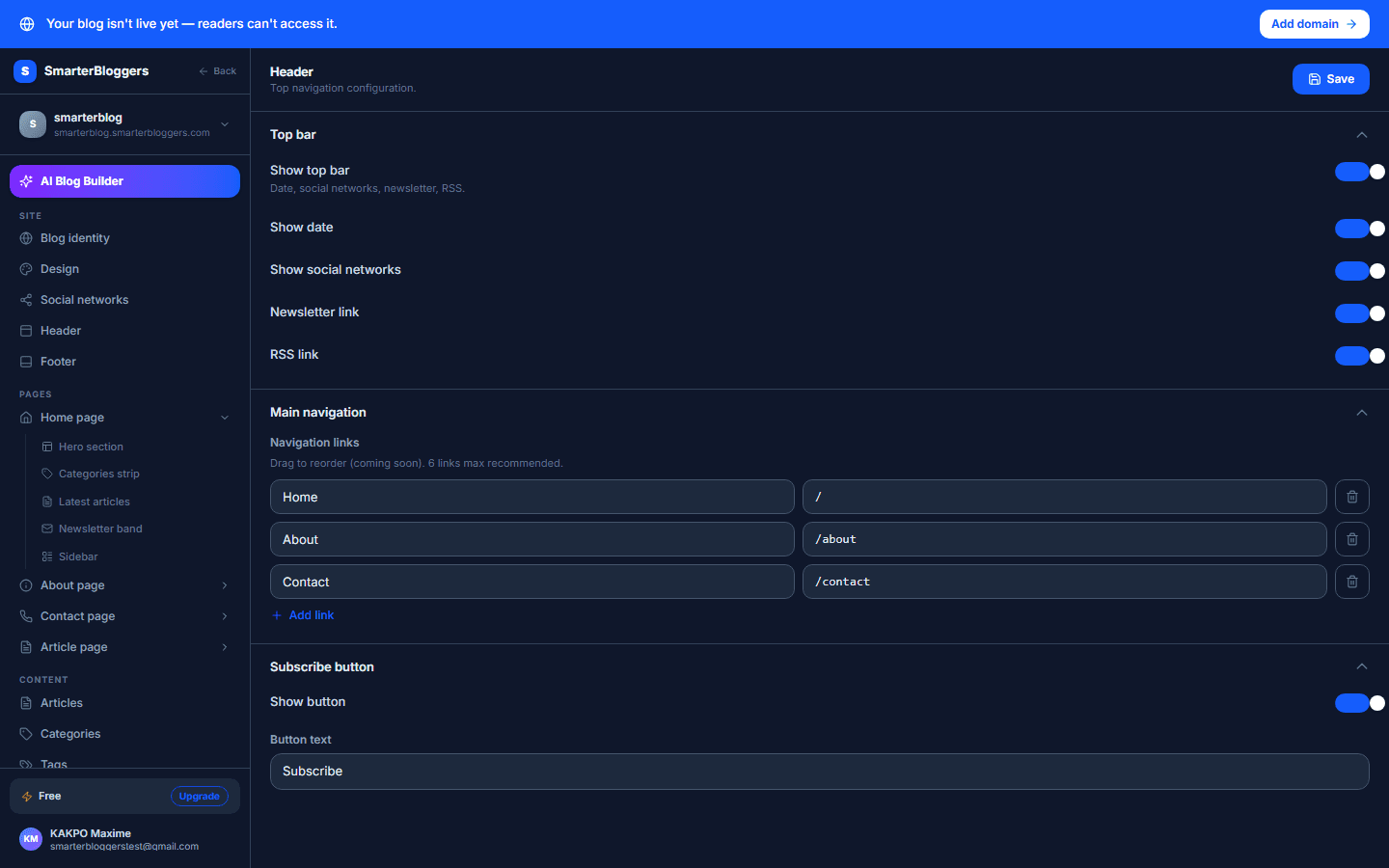
Configuring the Top Bar
The top bar is a versatile component of your blog's header. To configure it:
- Enable Top Bar: Use the switch labeled 'Show Top Bar' to toggle the visibility of the top bar.
- Show Date: If enabled, the current date will be displayed on the top bar.
- Show Social Links: Toggle this switch to display social media links.
- Show Newsletter Link: Enable this to provide a link to your newsletter.
- Show RSS Link: Toggle this to include an RSS feed link.
These options allow you to customize the information and links available at the top of your blog, enhancing user engagement.
- Enable only the elements that are relevant to your blog's content and audience.
Saving Your Changes
Changes to your header configuration are automatically saved as you make them. However, you can manually save your changes by clicking the 'Save' button. If any errors occur during saving, a notification will inform you of the issue.
- Check your changes in the preview to ensure everything looks as expected before saving.
What's next?
Now that your header is customized, explore other customization options like the footer or theme settings to further enhance your blog's appearance.