
Customizing Your Blog's Footer
A comprehensive guide to managing and personalizing the footer section of your blog
Accessing the Footer Configuration
To begin customizing your blog's footer, navigate to the footer configuration page within your blog's dashboard. You can find this under the 'Footer' section in the Blog Studio interface. This page allows you to modify various elements of your footer, ensuring it aligns with your blog's overall design and functionality.
- Ensure you are logged into your blog's dashboard to access the footer settings.
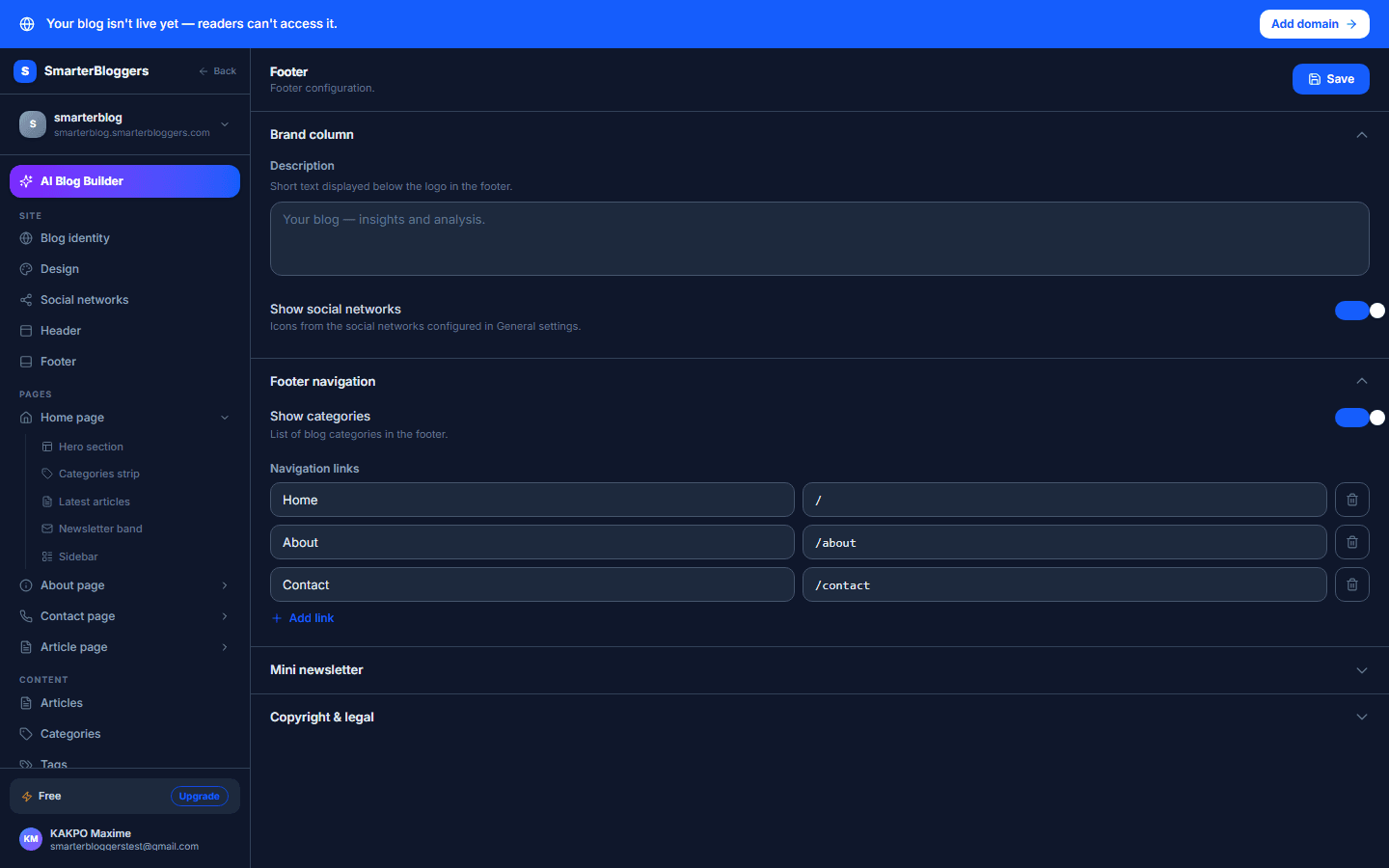
Brand Section
The 'Brand' section allows you to add a description and toggle the visibility of social media links:
- Description: Enter a brief description for your footer. This text can be multiline and is limited to 3 rows in the input field.
- Show Social Links: Use the toggle switch to show or hide social media links in your footer.
- Keep your footer description concise and relevant to your blog's theme.
Copyright and Branding
In the 'Copyright' section, you can manage copyright information and branding:
- Copyright Text: Enter the copyright text you wish to display.
- Show 'Powered By': Toggle this switch to show or hide the 'Powered By' branding in your footer.
- Regularly update your copyright text to reflect the current year.
Saving Changes
Once you have made your desired changes, the platform automatically saves your configurations. However, you can manually save by clicking the 'Save' button if needed. A toast notification will confirm the successful saving of your changes.
- Ensure all changes are reviewed before saving to avoid any unintended configurations.
What's next?
Now that your footer is customized, explore other areas of your blog to enhance its design and functionality. Consider updating your blog's header or exploring new themes to keep your site fresh and engaging.