
Customizing Your Blog's About Page
A comprehensive guide to setting up and personalizing your blog's About page.
Hero Section
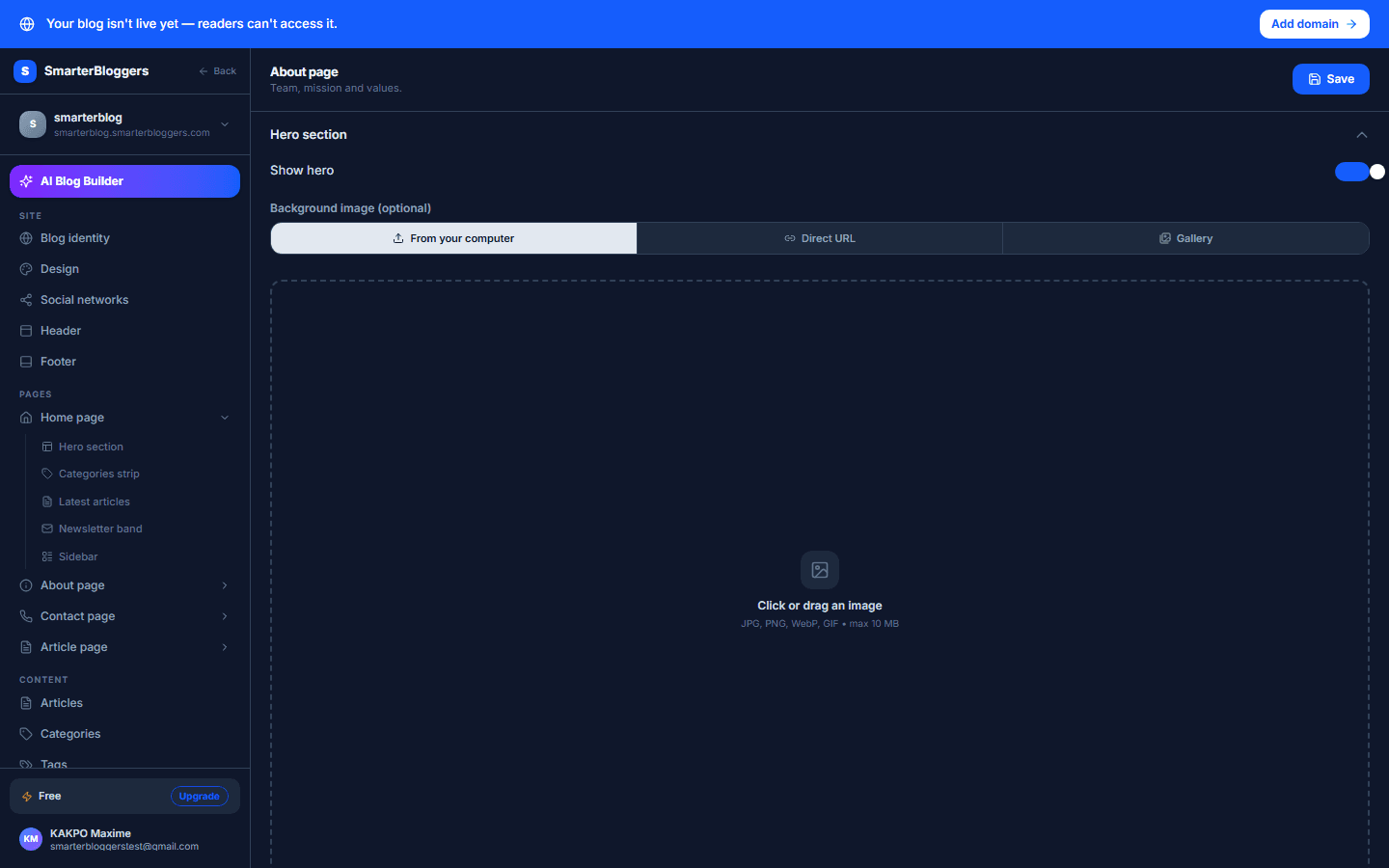
The Hero section is the introductory part of your About page. You can enable or disable this section using the toggle labeled 'Show Hero'. If enabled, you can customize the following fields:
- Cover Image: Upload an image to be displayed as the background of the Hero section. The recommended aspect ratio is 16:9.
- Subtitle: Enter a subtitle for your Hero section. This field is optional.
- Title: Enter a title for your Hero section. This is a required field.
- Description: Provide a rich text description for your Hero section. You can format this text using the rich text editor provided.
- Use a high-quality image for the cover to make your page visually appealing.
- Keep the title concise and descriptive.
Stats Section
The Stats section allows you to display key statistics about your blog. Enable or disable this section using the 'Show Stats' toggle. If enabled, you can add, edit, or remove stats:
- Value: Enter the numerical value for the statistic.
- Label: Provide a label that describes what the statistic represents.
You can add new stats by clicking the 'Add Stat' button, and remove existing ones using the trash icon next to each stat.
- Use statistics that highlight the success and reach of your blog.
- Ensure the labels are clear and understandable.
Mission Section
The Mission section is where you can share your blog's mission statement. Enable or disable this section with the 'Show Mission' toggle. If enabled, you can customize:
- Title: Enter a title for your mission statement.
- Description: Provide a detailed description of your mission using the rich text editor.
- Illustration: Upload an image that represents your mission. The recommended aspect ratio is 16:9.
- Craft a mission statement that resonates with your audience.
- Use an illustration that visually supports your mission statement.
Values Section
In the Values section, you can outline the core values that drive your blog. Use the 'Show Values' toggle to enable or disable this section. If enabled, you can manage the following:
- Section Title: Enter a title for the values section.
- Values: Add, edit, or remove individual values. Each value consists of:
- Icon: Choose an icon to represent the value.
- Title: Enter a title for the value.
- Description: Provide a description for the value.
Add new values using the 'Add Value' button and remove them with the trash icon.
- Select icons that visually represent each value.
- Ensure the descriptions are clear and concise.
Team Section
The Team section showcases the members of your blog team. Enable or disable this section using the 'Show Team on Blog' toggle. If enabled, you can manage the following:
- Section Title: Enter a title for the team section.
- Team Members: Add, edit, or remove team members. Each member has:
- Avatar: Upload an avatar image for the team member.
- Name: Enter the team member's name.
- Role: Specify the team member's role.
- Bio: Provide a short bio for the team member.
Add new members with the 'Add Member' button and remove them using the trash icon.
- Use professional photos for avatars.
- Highlight each member's unique contributions in their bio.
Call to Action (CTA) Section
The CTA section is designed to prompt visitors to take action. Enable or disable this section using the 'Show CTA' toggle. If enabled, you can configure:
- Title: Enter a title for the CTA section.
- Description: Provide a description using the rich text editor.
- Primary Button Label: Enter the label for the primary action button.
- Secondary Button Label: Enter the label for the secondary action button.
- Make the CTA clear and compelling to encourage visitor interaction.
- Use action-oriented language for button labels.
What's next?
After customizing your About page, consider exploring other customization options for your blog, such as theme settings and content management features.