
Managing Your Invoices
Learn how to view and download your invoices on our platform
Accessing Your Invoices
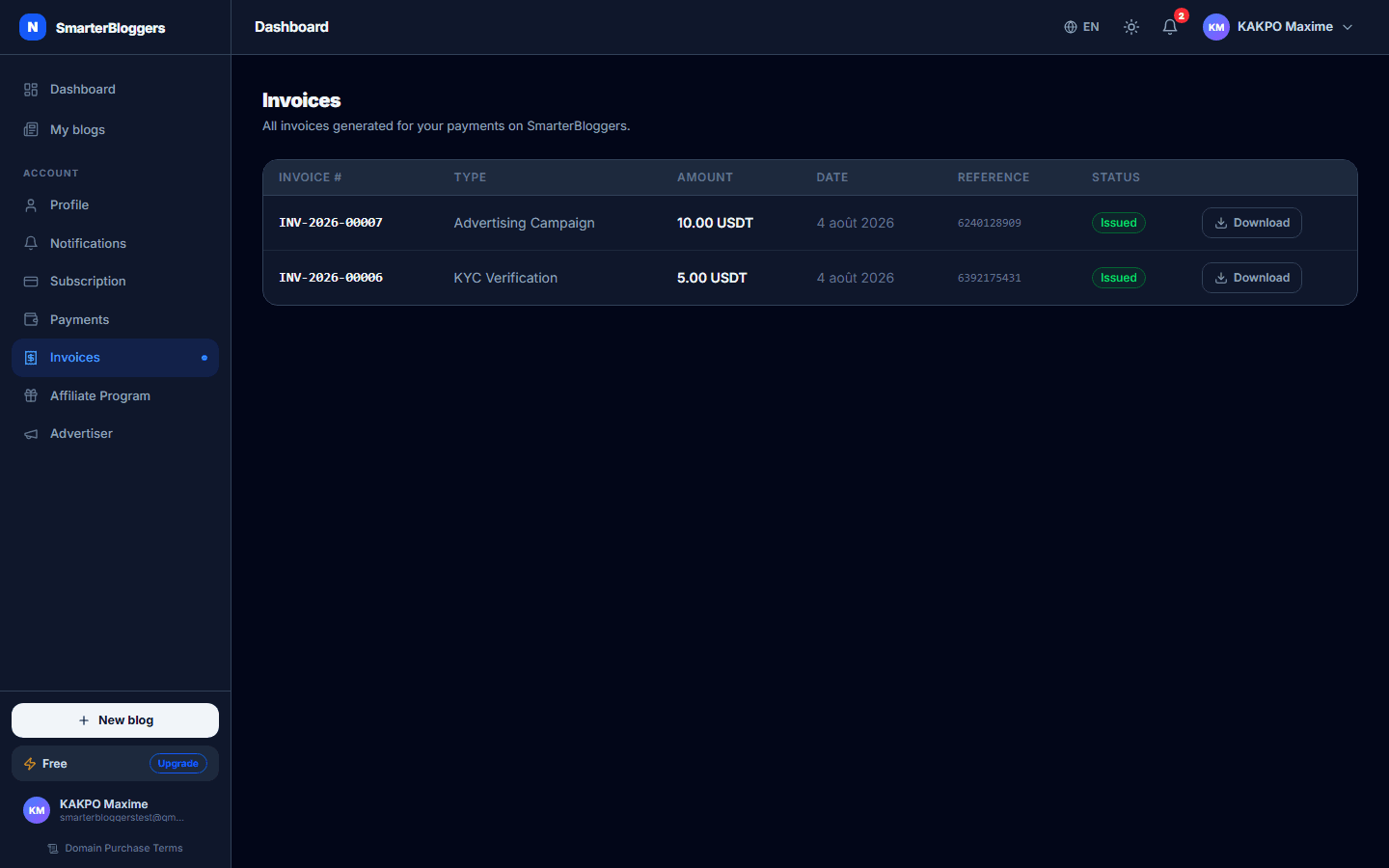
To access your invoices, navigate to the 'Invoices' section in your dashboard. This section provides a comprehensive list of all your invoices, sorted by the date they were created. You can view up to 50 invoices at a time, with the most recent invoices displayed first.
- Ensure you are logged in to view your invoices.
- The list is limited to 50 invoices per page.
Invoice Details
Each invoice in the list displays the following details:
- Invoice Number: A unique identifier for the invoice.
- Payment Type: The type of payment associated with the invoice.
- Amount: The total amount of the invoice, displayed in the relevant currency.
- Date: The date the invoice was created.
- Payment Reference: A reference number for the payment, if available.
- Status: The current status of the invoice, such as 'paid' or 'pending'.
- Hover over the payment reference to see the full text if it's truncated.
Downloading an Invoice
To download an invoice, click the 'Download' button next to the invoice you wish to download. The invoice will be generated as a PDF file, which you can save to your device. The PDF is created from a fixed snapshot of the invoice details at the time of generation and is not stored in the database.
- Ensure your browser allows pop-ups to successfully download the PDF.
- If the download fails, try again or check your internet connection.
Handling Download Errors
If you encounter an error while downloading an invoice, a notification will appear indicating the failure. Common causes include network issues or browser settings that block downloads. You can attempt the download again by clicking the 'Download' button.
- Check your browser's download settings if you encounter repeated errors.
- Ensure your internet connection is stable before attempting to download.
What's next?
Now that you know how to manage your invoices, explore other features in your dashboard to optimize your experience on our platform.