
Managing Blog Identity & General Settings
Comprehensive guide to configuring your blog's identity and settings
Checking Slug Availability
Before creating or updating your blog, you can check if a desired slug (URL path) is available. Use the 'Check Slug' feature by entering your preferred slug in the provided field. The system will confirm if it's available or suggest alternatives if it's already taken.
- Choose a slug that is unique and easy to remember.
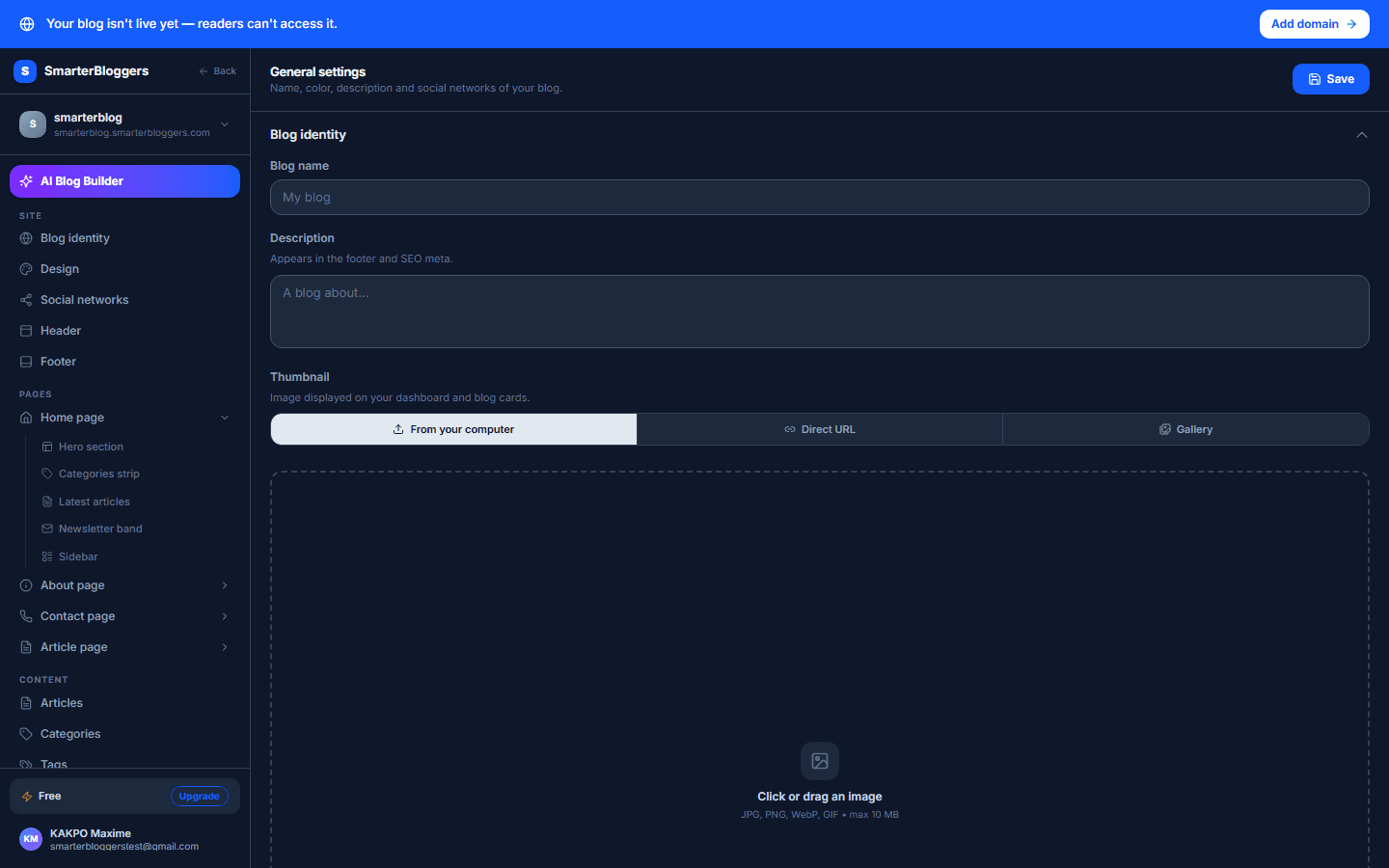
Creating a New Blog
To create a new blog, navigate to the 'Create Blog' section. Here, you'll need to provide the following details:
- Name: The name of your blog.
- Description: A brief description of what your blog is about.
- Primary Color: Choose a color that will be used as the primary accent color.
- Cover Image: Upload an image that represents your blog.
Once you've filled in these details, submit the form to create your blog. A successful creation will log an event for tracking purposes.
- Ensure your blog name is descriptive and aligns with your content.
Viewing and Managing Your Blogs
You can view all blogs associated with your account by accessing the 'My Blogs' section. This will list all your blogs, allowing you to manage them individually. Select a blog to view its details or make updates.
- Regularly update your blog details to keep your audience informed.
Updating Blog Details
To update your blog's details, navigate to the 'General Settings' page of the specific blog. Here, you can modify:
- Name: Change the name of your blog.
- Description: Update the description to reflect any changes in content or focus.
- Primary Color: Adjust the primary color to match new branding.
- Cover Image: Change the cover image to keep your blog visually appealing.
Ensure you have the necessary permissions to make these changes.
- Use high-quality images for your cover to attract more visitors.
Integrating Analytics and Tracking
Enhance your blog's performance tracking by integrating analytics tools. In the 'Integrations' section, you can configure:
- Google Analytics 4 (GA4) Measurement ID: Enter your GA4 ID to track visitor data.
- Matomo URL and Site ID: Provide your Matomo analytics URL and site ID for detailed insights.
- Facebook Pixel ID: Add your Facebook Pixel ID to track conversions and optimize ads.
These integrations will help you understand your audience better and improve your blog's reach.
- Regularly review analytics data to optimize your content strategy.
Deleting a Blog
If you need to delete a blog, navigate to the blog's settings and select the 'Delete Blog' option. Note that this action is irreversible, and you must have the appropriate admin permissions to proceed.
- Consider exporting your blog data before deletion if you might need it later.
What's next?
Now that you've set up your blog's identity and general settings, explore our guides on content creation and SEO optimization to enhance your blog's performance and visibility.