
Customizing Your Article Page Display Settings
A comprehensive guide to configuring the display settings for your article pages
Progress Bar Settings
The progress bar is a visual indicator of how much of the article the reader has completed. By default, the progress bar is enabled. You can toggle this setting on or off using the 'Show Progress Bar' switch in the 'Progress' section.
- Enabling the progress bar can enhance user engagement by providing a visual cue of reading progress.
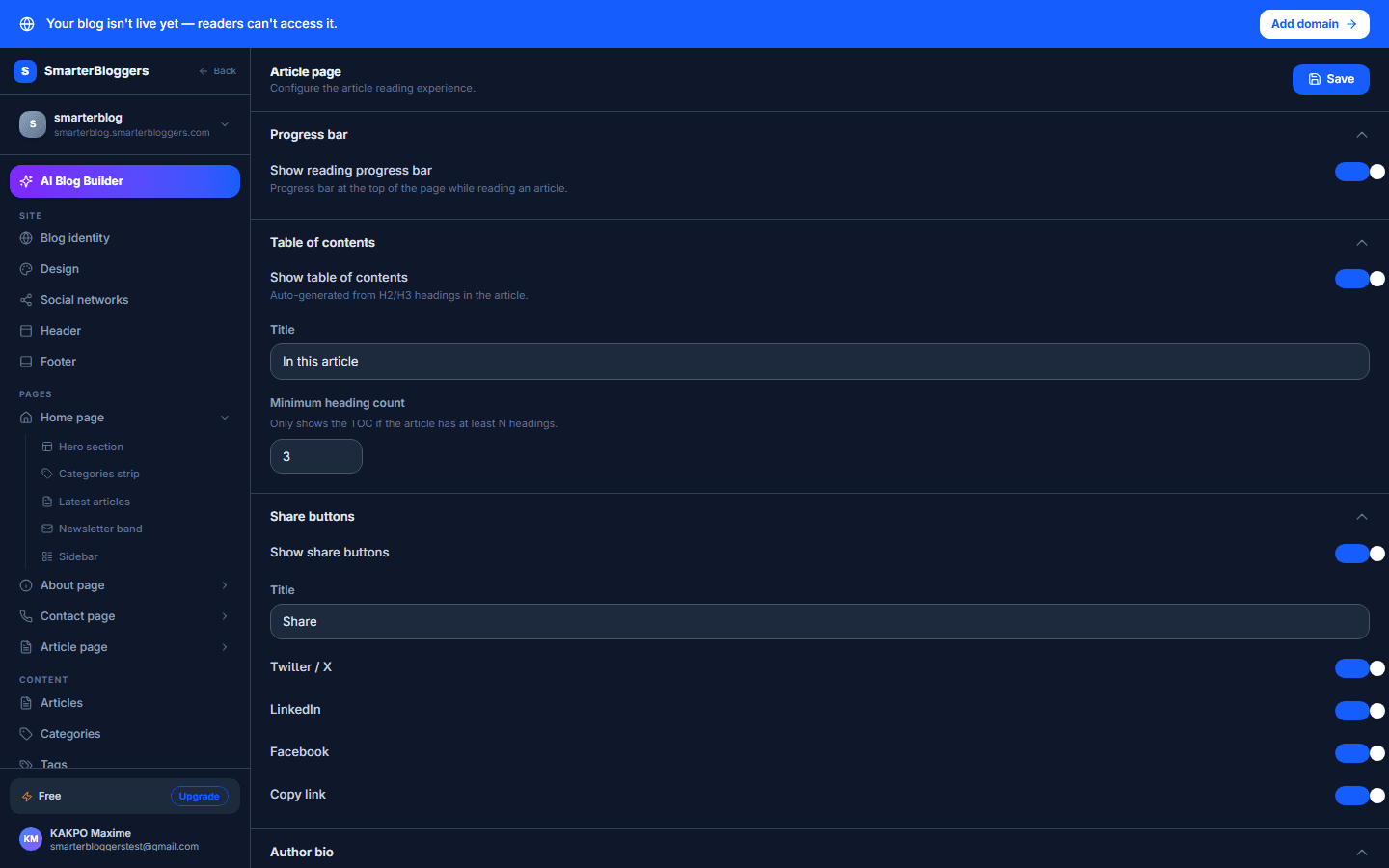
Table of Contents Configuration
The Table of Contents (ToC) helps readers navigate through your article. You can enable or disable the ToC using the 'Show Table of Contents' switch. If enabled, you can:
- Set the Title: Enter a custom title for the ToC.
- Minimum Headings: Specify the minimum number of headings required for the ToC to display. This can be set between 1 and 10.
- A well-structured ToC can improve the readability of longer articles.
What's next?
Now that you've customized your article page settings, explore other features like SEO optimization and content scheduling to enhance your blog's performance.
Comments Section
Enable or disable the comments section to allow readers to leave feedback on your articles. This setting is controlled by the 'Enable Comments' switch in the 'Comments' section.